HA-Chromium-Kiosk, 2026: fixes, releases, and real demos
This is the update to my original Home Assistant Chromium kiosk setup post from 2024. That post is left exactly as it was. This one covers what changed since, over a year later.
HA-Chromium-Kiosk, the setup script from that original post, sat mostly untouched for over a year with 12 open GitHub issues from real users I’d never gotten back to. A recent pass went through the whole script and issue backlog and shipped three releases (v0.10.0 → v0.10.2), fixing real bugs that had been open since the original 2024 setup, including one that could break the install partway through, and one where declining to overwrite a single config file aborted the entire install.
What’s different from the original 2024 setup
- The script now has a proper interactive
install/uninstallcommand (sudo ./ha-chromium-kiosk-setup.sh install), color-coded output, a pre-action summary, and a confirmation step before anything changes on the machine. - HTTPS Home Assistant instances are supported now, not just HTTP.
- Display rotation and pinch-zoom/zoom-level options were added for Pi + touchscreen setups.
- Every release now publishes a sha256 checksum in its notes, so you can verify the download before running it with
sudo. - A real, wired-into-CI test suite now backs the script (static analysis + a 19-assertion integration harness that runs the install against genuine systemd, not a mock). The class of bug that used to slip through silently can’t come back unnoticed.
The real demo
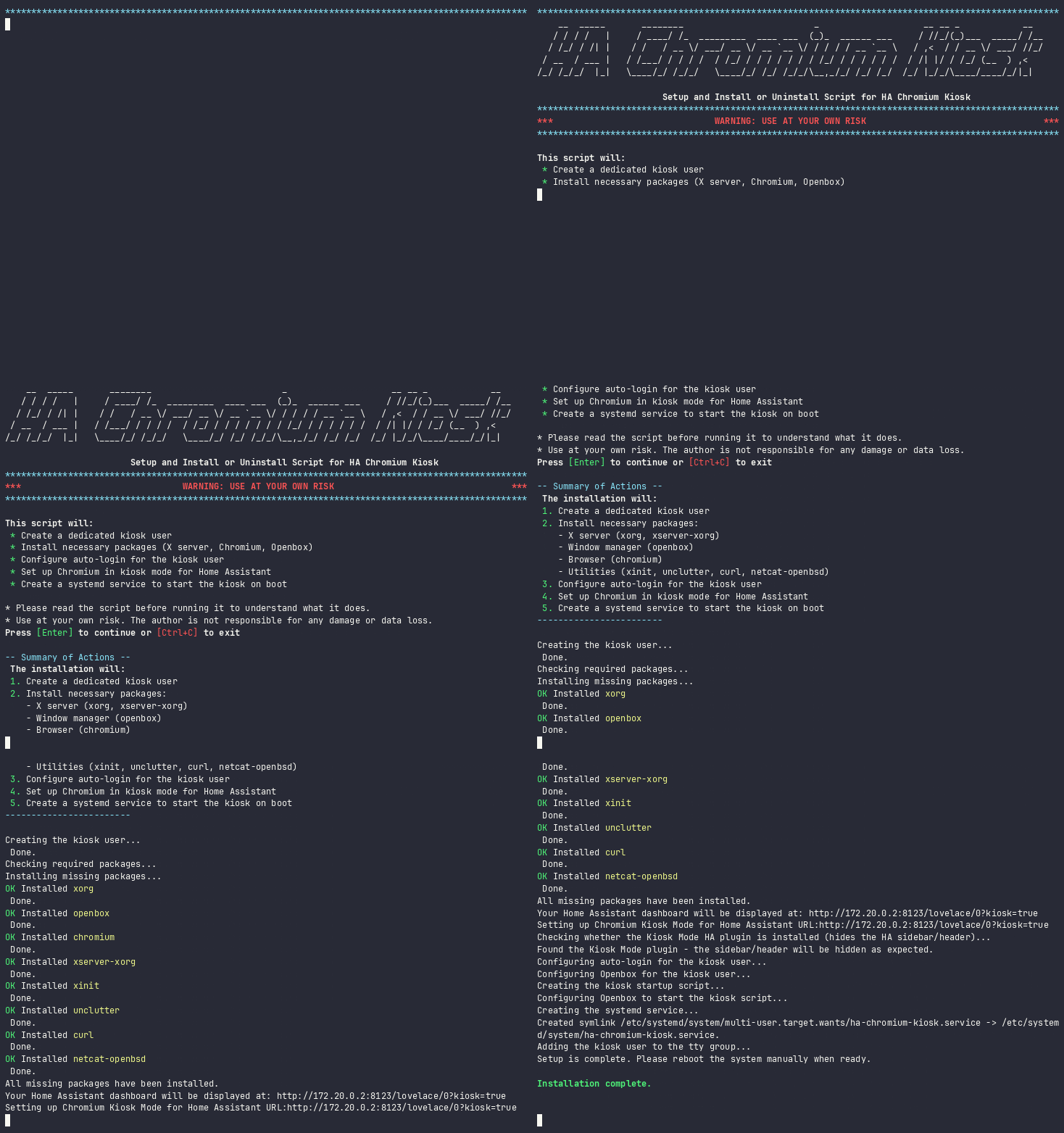
A real install, against a real Home Assistant instance:
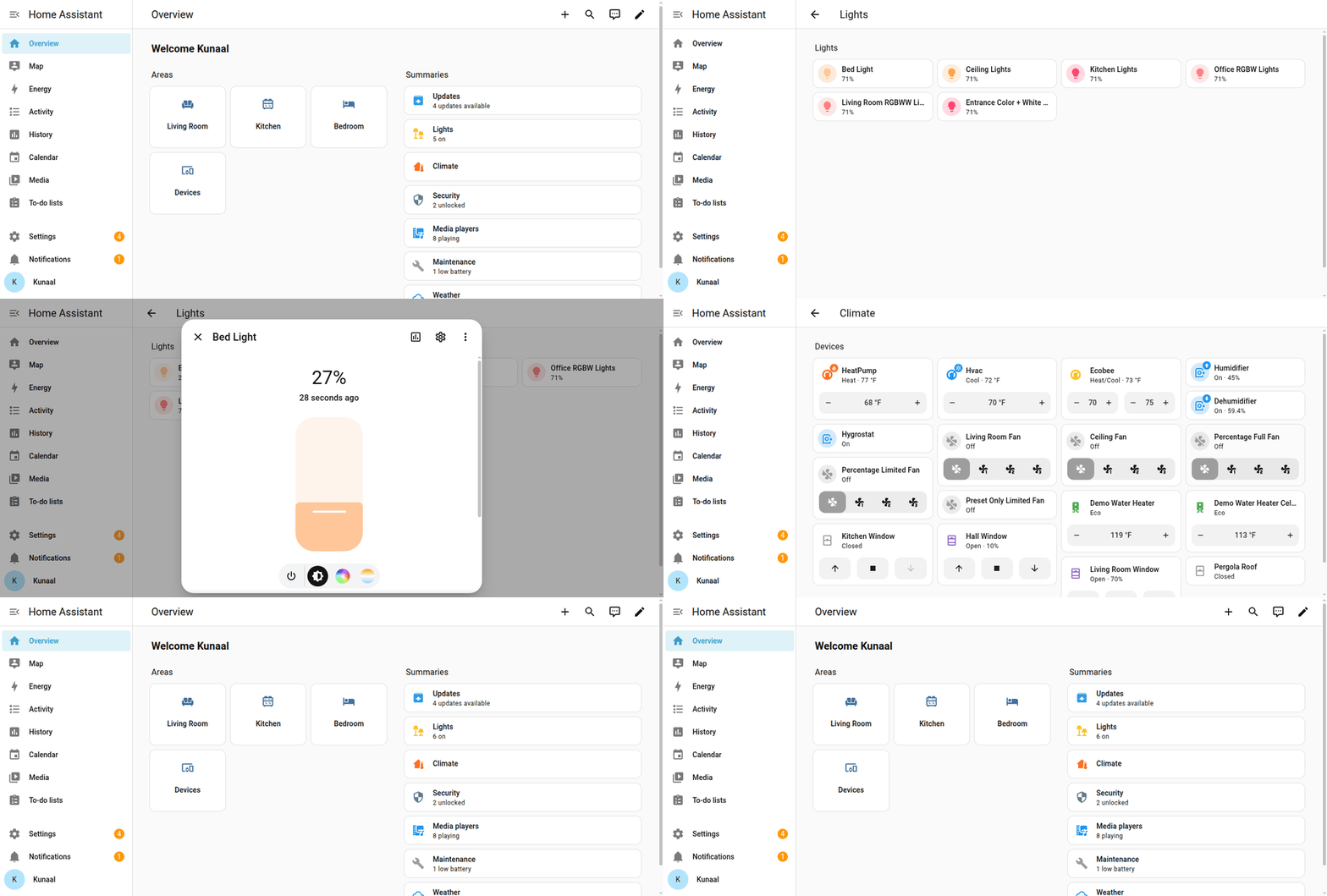
Real operations on that same dashboard, once it’s up (toggling a light, adjusting brightness, changing a thermostat):
One honest limitation worth knowing about
If you want Home Assistant’s own in-page sidebar/header hidden too (not just the browser’s chrome, which this script already handles via Chromium’s --kiosk flag), that requires the separate Kiosk Mode plugin installed inside Home Assistant itself. As of its latest release (v14.1.0), that plugin does not actually hide the sidebar/header on current Home Assistant versions in testing. Checking its own issue tracker shows a recurring pattern of breaking on nearly every recent HA frontend release, needing a version-matched patch each time. If you hit this, check the plugin’s own compatibility table for the version matching your HA release before assuming it’s something you configured wrong. This script’s own kiosk mode is unaffected either way.
None of this needed to be hard
None of the individual issues here were hard on their own. What made them pile up for over a year is the same dynamic as any deferred side-project debt: fixing a shell script correctly means reading the whole thing carefully, understanding what each prompt/flag does at install time versus at kiosk-boot time, and then actually testing it, none of which fits into a stolen 20 minutes between meetings. Nothing here needed novel engineering; it needed someone to sit with the whole script, the whole issue backlog, and a real test environment for an extended, uninterrupted stretch.
Full current docs, the latest release, and the complete test plan: github.com/kunaalm/HA-Chromium-Kiosk.
Loading comments…